
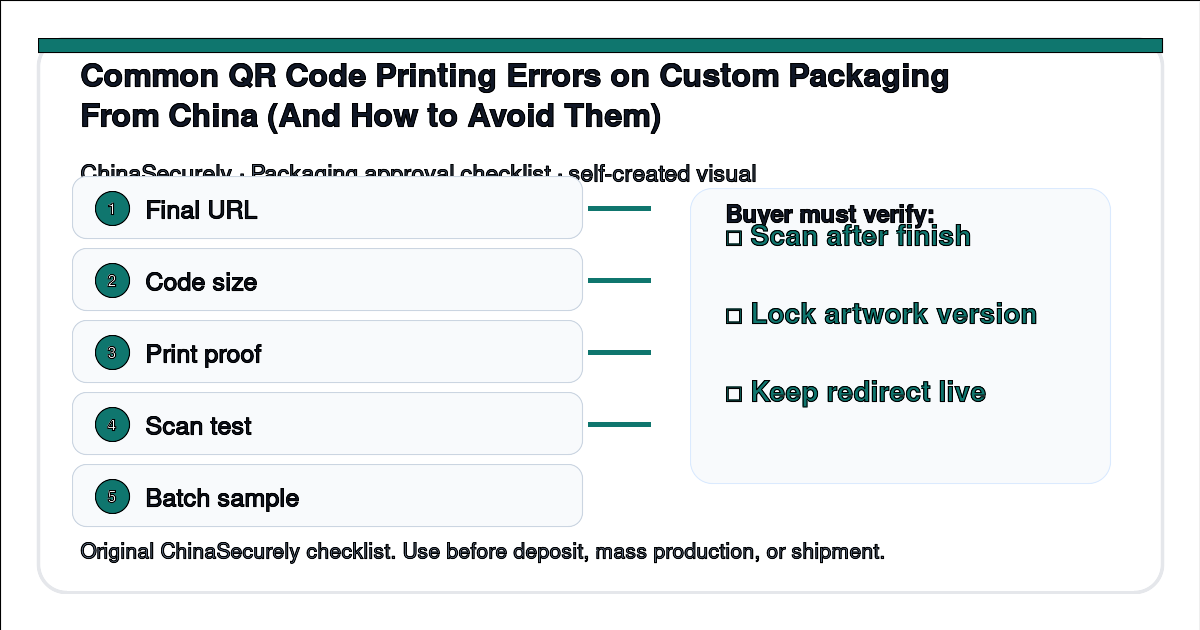
A realistic buyer question we hear from small US importers: “I approved the QR proof on screen, the supplier printed 3,000 mailer boxes, and now my phone cannot read a third of them. What went wrong, and how do I prevent it on the next run?” The pain is not the design. It is the chain between the digital file and the printed box.
This guide is for small importers placing custom-printed packaging orders of 500 to 5,000 boxes or labels. It focuses on the four QR failure modes that come up most often in production: contrast, quiet zone, dot gain, and substrate shift.
Why QR codes on packaging fail in production
QR codes look like digital content, but they are a printed physical object. Once the file leaves the screen and hits an offset press, four things go wrong in sequence.
- Contrast drops below the scanner threshold. Black ink density on coated paper is rarely the same as on screen. Coated art paper loses less ink; uncoated kraft and corrugated absorb more and the dark modules look lighter.
- The quiet zone is too small. ISO/IEC 18004 requires a quiet zone (white border) around the QR equal to at least four module widths. Many packaging designs tuck the QR into a corner with 2 mm of margin, which kills scanning reliability.
- Dot gain distorts the modules. Ink spread varies with the press, substrate, ink, and operating conditions. On a small QR code, distorted gaps and edges can merge into blobs that the scanner cannot resolve.
- Substrate shift changes the perceived contrast. Brown kraft, metallic foil, and matte lamination each change how the scanner reads the dark vs light modules. A code that scans perfectly on proof paper can fail on the actual box stock.
Any one of these can cause failure. When two occur together, scan reliability can fall sharply, so the pass rate must be measured on the real printed substrate rather than assumed from a digital proof.
China-side explanation: how the supplier handles your QR file
Most Chinese packaging suppliers run a four-step workflow on the QR portion of your artwork.
- The prepress operator opens your file in Adobe Illustrator or CorelDRAW and converts text to outlines.
- They generate a PDF/X-1a and run a preflight check that usually flags low-resolution images but rarely validates QR modules.
- The plate is burned (CTP), a paper proof is pulled, and the operator eyeballs the QR against the original design.
- The first 50 to 100 sheets come off the press and are reviewed by the QC team.
The weak point is step 3. Eyeballing a 12 mm QR code at the proof stage does not tell you whether a phone will scan it. Phone-based QR scanning uses a different algorithm than desktop scanners, and small importers often discover the failure only after the bulk run is finished.
Step-by-step: how to lock the QR before mass production
- Generate the QR at the print resolution, not the screen. Export the QR as a vector (SVG or PDF) at the final printed size. If your designer sends a 300 DPI PNG, ask for a vector instead.
- Specify a quiet zone of 4 modules or more. In the artwork file, add a white margin equal to at least the width of 4 modules on each side. For a 15 mm QR, that means 3 mm or more of clean white on every side.
- Lock contrast on the actual substrate. Ask the supplier for a press proof on the exact paper or board, not on coated proofing paper. Scan the proof with three different phones.
- Add a scanner test clause to the purchase order. “QR code must scan successfully on at least three of four mainstream phone scanners (iPhone, Samsung, Xiaomi, generic Android), tested on the printed surface after lamination.”
- Choose error correction deliberately. Level M or Q can improve damage tolerance, but it also increases symbol density at a fixed physical size. Have the prepress operator generate the code at final size and verify it on the actual substrate.
- Request a pre-production press proof (PPP). Sign off only on the actual printed substrate, not on a digital proof. The press proof is cheap insurance against a 3,000-box reprint.
What to ask the supplier (copy and paste)
“Before we go to bulk, please send a press proof on the actual [insert substrate: 350 gsm coated art board / 200 gsm kraft / corrugated B-flute]. I will scan it with three different phones. Please confirm the QR file is vector, error correction level M, with a quiet zone of at least 4 modules. If any of the four test scans fails, we hold the bulk run.”
Risk and trade-off notes
The cheapest option is to let the supplier print whatever they have on file. The more reliable option is to add a press-proof step and a scanner test clause. The proof adds cost and time, but it is usually cheaper than reprinting a full run after the QR code fails.
If your QR drives a customer loyalty program, returns, or anti-counterfeit verification, treat the press proof as non-negotiable. If the QR is only a marketing link and your customer can still type the URL, the trade-off is more forgiving.
Practical checklist
- QR generated as vector (SVG/PDF), not raster (PNG/JPG).
- Quiet zone of at least 4 modules, written into the artwork.
- Error correction level M or Q specified in writing.
- Press proof on actual substrate, not coated proofing paper.
- Scanner test with at least three different phones.
- Scan rate of 3 of 4 passes documented before bulk sign-off.
- Supplier confirms color profile and ink set for the substrate.
- Final artwork saved as PDF/X-1a or PDF/X-4, not a Word or JPG file.
Related ChinaSecurely guides
- Inkjet vs laser coding on carton shippers from China
- How to specify carton strength before ordering custom mailer boxes
Authoritative references
- ISO/IEC 18004:2015 — QR Code bar code symbology specification
- GS1 General Specifications — barcode placement and quality
- ISO 12647-2:2013 — Process control for offset lithography
- ASTM D7300 — Standard practice for print quality of packaging
Source note: ISO, GS1, and ASTM pages are public references, but automated access may be blocked and the full standards text may require purchase. The practical values above should be confirmed in the current standard or with a qualified prepress provider before the bulk run.
Related questions
- Should I use a dynamic QR (short URL) or a static QR on packaging?
- Does matte lamination hurt QR scan rate more than gloss lamination?
- How do I avoid QR code mislabeling when batches ship together?
- Can I add a second smaller QR for anti-counterfeit verification?
This article is general sourcing guidance, not legal or certification advice. Always confirm the QR scan rate on a press proof before signing off on bulk production.