
Short answer: buzzing at high volume is usually not a “Bluetooth problem.” It is more often a small mechanical or component issue: a loose grille, weak enclosure, driver mismatch, glue gap, vibrating wire, or amplifier distortion when the supplier pushes the speaker louder than its design can handle.
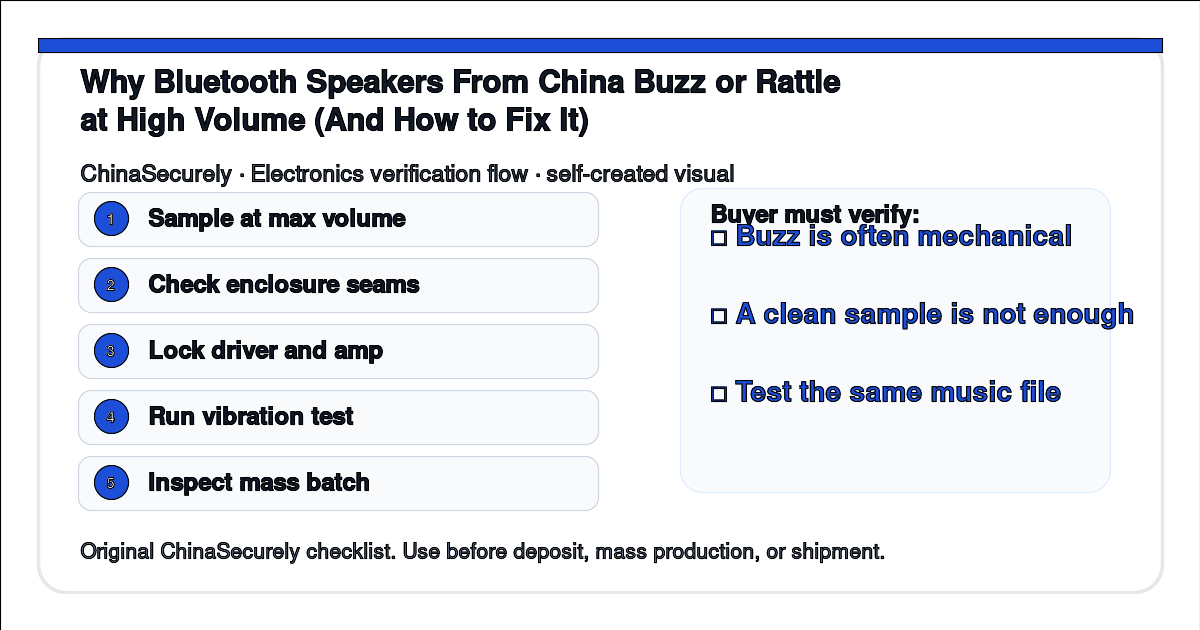
A real buyer question is: “The Bluetooth speaker sample sounded fine at medium volume, but bulk units buzz when we turn them up. Did the factory change something, or did we test the sample the wrong way?”
For a small importer, this matters because customers do not complain in engineering language. They say the product sounds cheap, broken, or fake. You need a simple test plan before approving mass production.
Why this happens
Small Bluetooth speakers have tight space. The driver, passive radiator, battery, PCBA, wires, screws, grille, and plastic shell are all squeezed into a small enclosure. If one part vibrates at the wrong frequency, the speaker can buzz even if the electronics still work.
The second reason is sample-to-bulk variation. A hand-built sample may use better glue, tighter screws, or a slightly better driver. Mass production may be faster and less careful unless the buyer locks the component list and inspection criteria.
The third reason is unrealistic testing. Many buyers play one clean music track at half volume. Real users play bass-heavy songs, podcasts, phone calls, and maximum-volume audio. That is where weak enclosure design shows up.
China-side explanation
Many Chinese electronics suppliers are assemblers, not full acoustic design companies. They may buy drivers, batteries, amplifier boards, plastic housings, and packaging from different upstream suppliers. A small change in driver, shell thickness, or glue process can change sound quality.
Sales teams may also describe a speaker by wattage, battery size, or appearance because those are easy to compare in a quotation. Buzzing and rattling are harder to discuss unless the buyer asks for a specific QC method.
This is not always dishonest. Sometimes the supplier simply did not know your market will treat high-volume buzz as a return-worthy defect. Put the test into the purchase order before deposit payment.
Step-by-step solution
- Test the sample with the same music, same phone, same volume level, and same EQ setting you will use for approval.
- Include bass-heavy audio, spoken voice, and maximum-volume playback for a short time.
- Ask the supplier to confirm the driver model, amplifier board, battery, enclosure material, grille, and passive radiator if used.
- Shake the speaker gently and press around seams, grille, buttons, and rubber feet while music is playing. Buzz that changes when you press the shell is usually mechanical.
- Ask the supplier to run a simple production-line sound check on every unit or on a defined sampling plan.
- During pre-shipment inspection, open cartons from different production times, not only the top carton.
- If the product is positioned as premium audio, use an audio test fixture or third-party lab instead of relying only on ears.
What to ask the supplier
Please test the Bluetooth speaker sample and mass-production units with the attached audio files at 50%, 80%, and maximum volume. Please confirm that there is no buzz, shell rattle, loose grille noise, or abnormal vibration. If the driver, amplifier board, passive radiator, glue process, or enclosure material changes after sample approval, please ask for written approval before production.
A useful follow-up is:
Please send a short production-line QC video showing how workers check buzz or rattle. Beauty photos of the speaker are not enough for this defect.
Inspection checklist
| Check point | How to check | Warning sign |
|---|---|---|
| Sample sound | Play the same approval audio at several volumes | Only one quiet demo video is provided |
| Shell vibration | Press seams, grille, buttons, and rubber feet while playing bass | Buzz changes when you press the shell |
| Component lock | Confirm driver, amp board, battery, and enclosure material | Supplier says “same quality” but not same model |
| Mass batch | Test cartons from different pallet positions | Only one selected unit is tested |
| Packaging | Check whether inner packing presses the grille or buttons | Buzz appears after transit vibration |
Practical checklist
□ Do not approve only from a supplier-recorded video.
□ Use the same audio files for sample approval and shipment inspection.
□ Lock the driver, amplifier board, shell, grille, and glue process where possible.
□ Treat “loud enough” and “clean enough” as separate requirements.
□ Ask whether every unit has a basic sound check before packing.
□ If buzz appears only at maximum volume, decide whether that is acceptable for your market before mass production.
Related questions
Is buzz always a defective speaker? Not always. Cheap small speakers may distort when pushed beyond their design. But shell rattle, loose parts, and abnormal vibration are defects you can test for.
Can I fix buzzing after arrival? Usually no. You may sort units, but repairing glue, drivers, or enclosure fit is not practical for a small importer.
Should I demand a bigger wattage number? Not by itself. A bigger number does not guarantee cleaner sound. Ask for a usable sound test instead.
Sources and source status
The sources below are used for general speaker behavior, distortion, and acoustic verification context. Supplier-specific claims still need sample and batch evidence.
- CUI Devices: speaker parameters and behavior: https://www.cuidevices.com/blog/speaker-thiele-small-parameters-and-their-importance
- Klippel: non-linear distortion measurement concepts: https://www.klippel.de/know-how/measurements/nonlinear-distortion.html
- Audioholics: loudspeaker distortion background: https://www.audioholics.com/loudspeaker-design/speaker-distortion
If you are buying Bluetooth speakers from China, do not make the sound test an informal favor. Make it part of the order specification.
I really enjoyed reading this article. Thanks for sharing your knowledge with everyone.
Thanks so much, Mikaela — glad it was helpful! Speaker rattle at high volume is one of the most common complaints we see with China-sourced audio, which is why we wanted to break down the causes so clearly. If you ever run into a specific buzzing issue with an order, share the symptoms and we’ll do our best to help troubleshoot.