
Short answer: a Chinese smart plug that pairs on day one and drops off the Wi-Fi network by day seven usually has one of three root causes: a low-cost chipset with a poor antenna layout, a firmware build that aggressively uses power-save mode, or a missing FCC ID that suggests the ODM did not run the certification test. The buyer cannot tell from the housing which of the three it is. The buyer has to ask, test, and verify.
Why this problem happens
Wi-Fi dropouts in smart plugs are the single most common return reason for first-time importers. The hardware works for the demo. The hardware fails in the field. Three things drive the gap:
- The chipset is an inexpensive ESP8266 or ESP32 with a chip antenna, not a trace antenna. Chip antennas are cheaper but have worse gain in a metal-housed plug.
- The firmware sets aggressive power-save mode to meet EU standby rules. The plug wakes every 30 seconds, misses the router beacon, and silently disconnects.
- The FCC ID is missing or reused across multiple SKUs. The FCC database will show one FCC ID shared by 20 different product photos.
China-side explanation
Most Chinese smart-plug factories are ODMs, not OEMs. They buy a reference design from a chipset vendor, integrate it into a housing, and ship under the buyer’s brand. The ODM has one firmware build that supports 10 different SKUs. When the buyer asks for a tweak, the ODM branches the firmware and ships a new build, but the OTA (over-the-air) channel may still point to the original ODM server. When the ODM server goes down or changes URL, every plug in the field silently stops updating.
The FCC ID tells you whether the factory actually ran the certification test. A real FCC ID is searchable on the FCC equipment authorization database. A fake FCC ID is often a copy of another product’s ID with a new grantee code. A reused FCC ID is the most common compliance red flag. If the FCC ID on the housing does not match the FCC database, the buyer is taking on all the FCC Part 15 risk for the US market.
Step-by-step solution
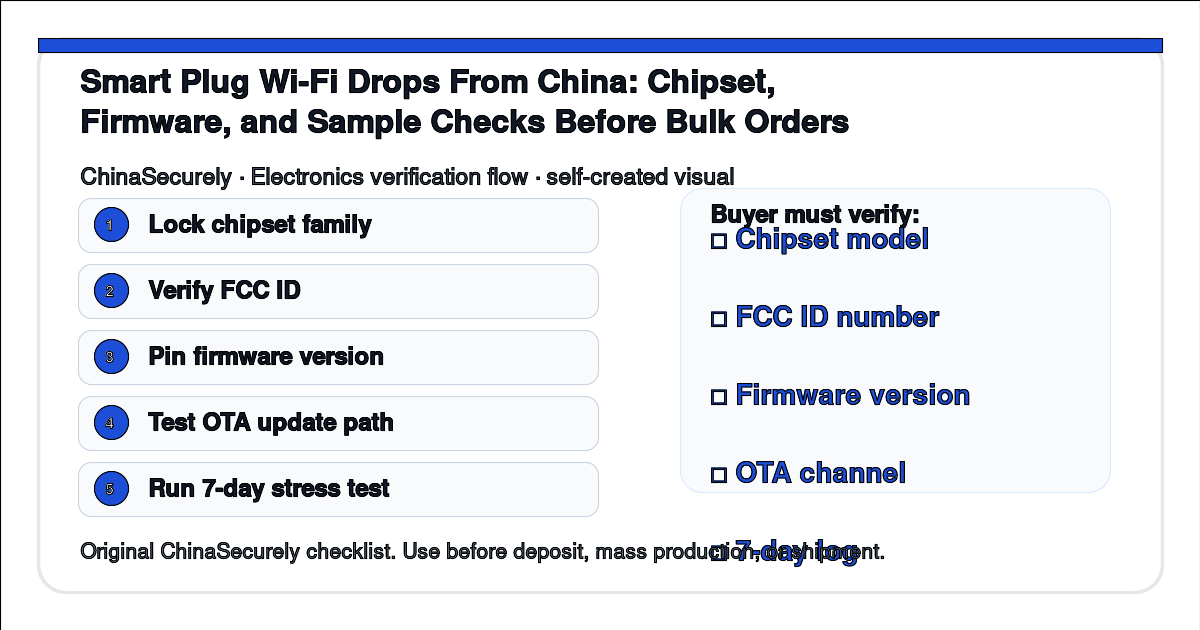
- Ask the supplier for the chipset family (ESP8266, ESP32, CC3200, Realtek, etc.) and the firmware version number on the bulk build.
- Ask for the FCC ID printed on the housing and verify it on the FCC equipment authorization database. Match the grantee code, the product photos, and the applicant address.
- Ask for the OTA update server URL and confirm it is owned by you, not by the ODM. If the ODM owns the OTA server, the buyer has a long-term lock-in risk.
- Run a 5-piece pilot for 7 days, logging Wi-Fi reconnects per day. A plug that reconnects more than 3 times per 24 hours has a firmware or antenna problem.
- Test WPA3 handshake if the destination market uses WPA3 routers. Many older firmware builds only support WPA2.
- Run an OTA update test on the pilot: trigger an OTA, confirm the plug reboots and reconnects to the new firmware.
Smart plug verification table
| Check | What to verify | Where to look |
|---|---|---|
| Chipset | ESP / TI / Realtek model | Supplier datasheet |
| FCC ID | Unique ID matching housing | fcc.gov/oet/ea/fccid |
| Firmware version | Locked, not the latest dev build | Supplier firmware sheet |
| OTA server | Buyer-owned domain | OTA URL in admin panel |
| WPA3 support | Listed on datasheet | Router test |
| 7-day stress | <3 reconnects per day | Pilot log |
Buyer checklist before signing the PO
- Chipset family is named on the PO.
- FCC ID is verified on the FCC database.
- Firmware version is locked (not dev / not latest).
- OTA update server URL is buyer-owned.
- 5-piece pilot passes 7-day stress test under 3 reconnects per day.
- WPA3 handshake is tested if destination market uses WPA3.
Authoritative references
- FCC — equipment authorization database (search FCC ID)
- eCFR Title 47 Part 15 — radio frequency devices
- Espressif — ESP8266 and ESP32 chipset datasheets
- Texas Instruments — CC3200 Wi-Fi MCU datasheet
- Connectivity Standards Alliance — Zigbee and Matter reference
- QIMA — pre-shipment inspection and supplier verification
Smart plug compliance is a sourcing verification decision, not a housing marking decision. FCC equipment authorization database, eCFR Title 47 Part 15, Espressif and TI chipset datasheets, and the Connectivity Standards Alliance are the public references for this category. Always verify the FCC ID on the FCC database before bulk. This article is a sourcing verification checklist, not RF compliance or electrical safety advice.