
Short answer
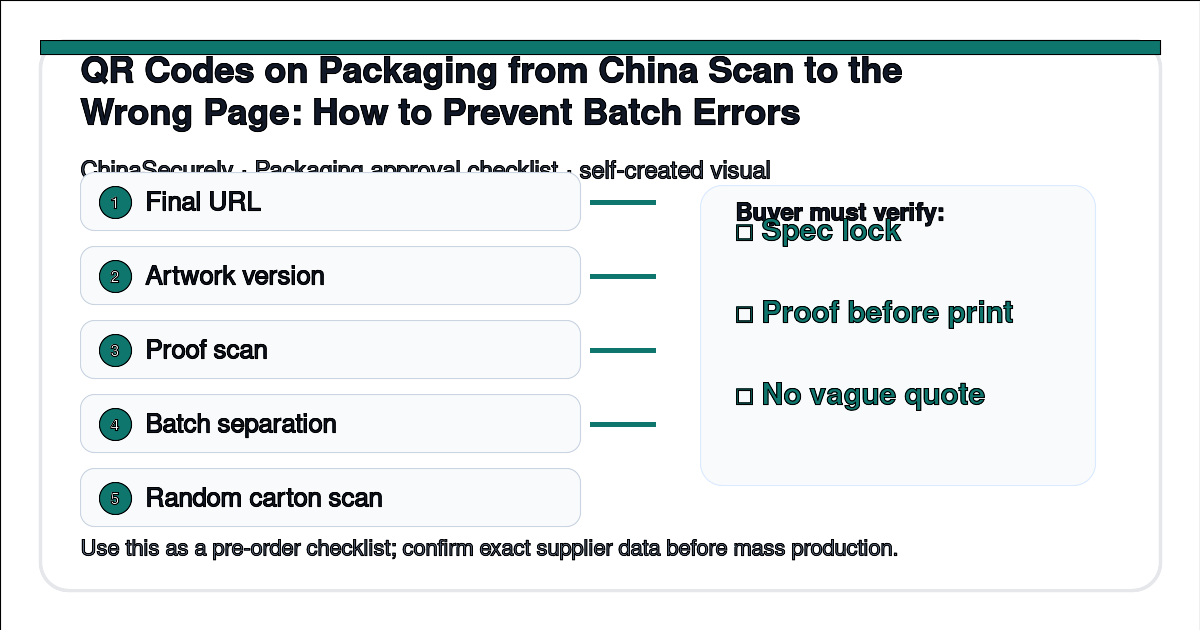
QR code errors on packaging usually happen before printing, not after. Small importers should control the URL, artwork version, print proof, batch naming, and scanning test before a Chinese supplier starts mass production.
Buyer question: “Our box QR code was supposed to open the warranty page, but some cartons scan to an old landing page. How do we prevent this with a Chinese packaging supplier?”
The fix is not just “ask the supplier to be careful.” You need an approval flow that makes the correct QR code the only approved artwork version.
Why this problem happens
Packaging projects often involve several files: dieline, artwork PDF, barcode, QR code image, label file, carton mark, and sometimes a separate insert card. If a buyer sends a new URL in email but the old QR code remains inside the artwork file, the printer may correctly print the wrong code.
Batch errors also happen when a supplier uses last season’s artwork, a designer exports a low-resolution QR image, a salesperson renames files manually, or the buyer approves a photo without scanning the code. The packaging can look perfect and still send customers to the wrong page.
China-side explanation
In China packaging production, the salesperson, designer, prepress worker, printing operator, and packing team may not be the same person. A supplier may manage many similar SKUs at the same time. If your file names are vague, such as “final box new new.pdf,” mistakes become easy.
Factories usually prefer a clear final artwork package. Once plates, screens, or digital print files are prepared, changing a QR code can delay production or create rework cost. That is why the scan test must happen before final print approval.
Step-by-step solution
- Decide whether the QR code URL should be static or redirectable.
- Keep the destination page live before you approve artwork.
- Generate the QR code from the final URL and store it in the artwork folder.
- Use file names with SKU, version, date, and language.
- Ask the supplier for a digital proof and a physical or printed proof when risk is high.
- Scan the QR code from the proof with at least two phones.
- Check the page destination, language, mobile display, and product match.
- Add the approved artwork version to the purchase order.
- During pre-shipment inspection, scan random units from different cartons or batches.
What to ask the supplier
Copy and adapt this message:
Please use only artwork file SKU-___ version ___ dated ___. Before mass printing, please send a clear print proof photo or PDF showing the QR code and batch code. We will scan and approve the QR code before printing. During packing, please keep this SKU separate from older packaging versions and send carton photos showing the correct version.
This message makes the version control request clear. It also tells the supplier not to mix old and new packaging.
QR and batch approval checklist
| Stage | Buyer action | Supplier evidence |
|---|---|---|
| URL setup | Open final page on mobile | Final URL written in approval notes |
| Artwork | Use one named final file | PDF proof with visible QR code |
| Print proof | Scan before mass print | Photo or sample of printed proof |
| Batch control | Separate old and new versions | Carton label or batch photo |
| Inspection | Scan random finished units | Inspection photos and scan result notes |
Cost and trade-off notes
A redirectable QR code can reduce the damage from a wrong landing page because the destination may be changed later. But it does not solve every problem. If the printed code belongs to another SKU, language, marketplace, or warranty program, the customer experience may still be wrong.
For very small orders, a digital proof plus scan test may be enough. For retail packaging, regulated product information, marketplace labels, or batch tracking, use a stricter proof and inspection process.
Sources and source status
- Google Manufacturer Center product data and identifier guidance: https://support.google.com/manufacturers/answer/6124116
- GTIN information reference for product identifiers: https://www.gtin.info/
These sources support the importance of correct product identifiers and data alignment. They do not replace platform-specific label rules.
Related questions
Is a QR code the same as a barcode or GTIN?
No. A QR code usually points to a URL or encoded data. A GTIN identifies a trade item. Some packaging uses both, and each must match the product.
Should I let the supplier generate the QR code?
Only if you still verify the final destination and keep the approved code file. The buyer should control the URL and approval.
Can I fix a wrong QR code after printing?
Sometimes a redirect can help, but not if the wrong code belongs to a different product or system. Stickers are possible but add labor and can look unprofessional.
Light CTA
Before approving packaging artwork, scan the code yourself. A beautiful box with the wrong link is still a failed package.