Short answer: a Wi-Fi smart plug that pairs in your showroom can disconnect from the app on day 30 because the factory quietly swapped a Tuya-authorized module for a third-party clone. Cloud authentication fails, the plug shows offline, and the importer is on the hook for 800 RMA tickets. Here is how to lock the module authorization before deposit.
Why smart plugs drop off the cloud
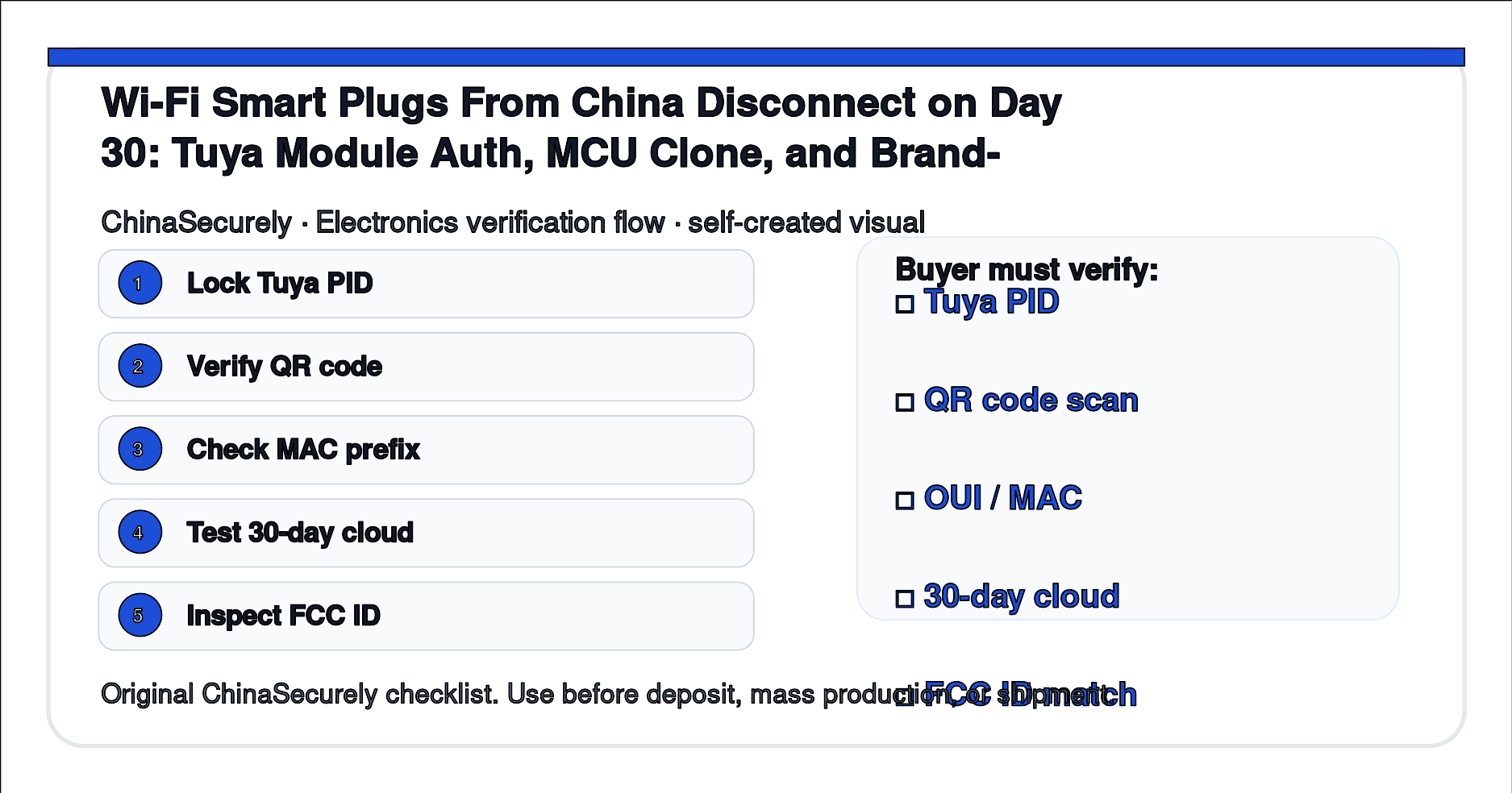
Tuya-authorized modules come with three pieces of identity: a Tuya Product ID (PID), a Tuya-issued QR code, and a MAC address prefix registered with the IEEE. When a plug powers on, it hands those three pieces to the Tuya cloud; the cloud verifies the module-cert certificate, approves the connection, and lets the plug register to your app account. A third-party clone module can run Tuya firmware for commissioning, but it does not carry the module-cert. The cloud grants temporary access; the certificate check fails after 30 to 90 days; the plug goes offline. Tuya revokes the cloned certificate in waves, so the failure is not immediate and not uniform across the lot.
The China-side explanation is straightforward. Authorized Tuya modules cost USD 2.80 to USD 3.50 each in 1,000-piece lots; clone modules cost USD 1.40 to USD 1.80. A factory that quotes aggressively on a 5,000-piece smart plug order will quietly source clones for 30 to 60 percent of the bulk run, mix them with authorized modules, and ship the lot. The visual difference at delivery is zero; the cloud authentication difference appears after 30 to 90 days. The buyer’s spec said “Tuya-compatible,” not “Tuya-authorized PID locked,” so the substitution is technically compliant.
What to lock on the PO
- Tuya PID: exact module part number on the PO, not “Tuya-compatible.”
- QR code source: Tuya-issued QR per piece, with the QR-code batch file from the manufacturer.
- Module supplier: Tuya-listed module maker (e.g., TYWE3S, WR3, or equivalent) named on the PO.
- MAC prefix: 60:01:XX or other Tuya-registered OUI, verified against the IEEE registration database.
- Cloud authentication: each plug must register on the Tuya cloud within 60 seconds of first power-on and remain connected for 30 continuous days.
- Safety listing: UL 60730-1 or UL 62368-1 listed for the US market, FCC Part 15B verified.
Buyer must verify before deposit
- Ask the supplier for the Tuya PID and the module supplier part number in writing.
- Ask the supplier for a sample QR-code file and the QR-code batch number.
- Request a 5-piece pre-production sample from the real production line.
- Capture the MAC address from each sample and cross-check against the IEEE OUI database.
- Power-on each sample and confirm it registers on the Tuya cloud within 60 seconds.
- Run a 30-day burn-in test on 2 of 5 samples to confirm the cloud connection holds.
- Verify the FCC ID against the FCC Equipment Authorization database.
China-side explanation
Smart plug factories in Shenzhen, Dongguan, and Zhongshan operate on tight margins (typically 8 to 12 percent gross on a 1,000-piece order). Module cost is 30 to 40 percent of the bill of materials. A factory that swaps authorized modules for clones saves USD 1.00 to USD 1.50 per plug, or USD 5,000 to USD 7,500 per 5,000-piece order. The factory is not lying; they put “Tuya-compatible” on the spec sheet. The spec did not name the PID or the module supplier, so the substitution is technically compliant. The cheapest insurance is to require the supplier to disclose the Tuya PID and module supplier on the PO, and to run a 30-day burn-in test on a 5-piece pre-production sample before approving bulk production.
Step-by-step solution
- Send the supplier a written spec: Tuya PID, module supplier, QR-code source, MAC prefix, cloud authentication, safety listing.
- Order a 5-piece pre-production sample from the real production line.
- Capture each sample’s MAC address and cross-check against the IEEE OUI database.
- Power-on each sample and confirm registration on the Tuya cloud within 60 seconds.
- Run a 30-day burn-in test on 2 of 5 samples and confirm connection holds.
- Verify FCC ID and UL listing before approving bulk production.
- Add a batch-level MAC-prefix log to the PO so each bulk lot can be re-checked.
How to read the supplier’s certification documents
Most smart-plug suppliers will hand you a folder with UL, FCC, CE-RED, and sometimes a Tuya letter. The folder looks complete. Most of the documents are not what they appear to be. Here is what to check on each sheet before you pay the deposit.
- UL or ETL certificate: the certificate holder name should match the factory legal name, not a trading company. Open the UL Product iQ database and search the E-file number; a trading-company holder usually means the certificate is rented and not tied to the production line.
- FCC ID: search the FCC Equipment Authorization database for the exact grantee name and the exact FCC ID printed on the sample label. A label that says “FCC ID: 2AXJ9-XXXX” but does not appear in the FCC database is a counterfeit or a misapplied label; do not pay the deposit.
- CE-RED and EU declarations: ask for the Notified Body number and the EU Type Examination certificate if the supplier claims RED compliance. A self-declaration alone is allowed for some RED classes, but it must be supported by a test report from an accredited lab.
- Bluetooth SIG listing: search the Bluetooth SIG listing directory for the exact model number. A product that claims “Bluetooth 5.0” without a SIG listing cannot legally carry the Bluetooth mark on the retail box in the US.
- Tuya OEM letter: the letter should name the module supplier (TYWE3S, WR3, etc.) and the Tuya PID range. A generic “Tuya-compatible” letter is not the same as a PID-locked authorization.
- Wi-Fi alliance certificate: only relevant if the supplier claims Wi-Fi 6 or a specific WPA3 feature; not all smart plugs need it, but the claim should be backed by a search result on the Wi-Fi Alliance certified products list.
Without these checks, the certification folder is a sales tool. With them, it is a quality tool. Five minutes on each database will save you a recall.
Quick checklist
- Tuya PID locked on the PO: exact module part number.
- QR-code source verified: Tuya-issued, batch file archived.
- Module supplier named on the PO: TYWE3S / WR3 / equivalent.
- MAC prefix verified against IEEE OUI database.
- Cloud authentication test passed: 30-day connection holds.
- FCC ID and UL 60730-1 listing verified.
Sources
- Tuya IoT device developer guide (PID, QR, MAC, cloud auth)
- FCC Equipment Authorization Database (search FCC ID by grantee)
- IEC 62368-1 — Audio/video, ICT equipment safety (smart-plug reference)
- UL 60730-1 — Automatic electrical controls for household and similar use
- IEEE Registration Authority — OUI lookup for MAC prefix verification
- QIMA — Pre-shipment inspection for smart-home electronics
This article is for sourcing verification, not for cloud-platform engineering. Confirm your final module-PID and cloud-authentication test with a qualified IoT engineer before bulk production.