
Short answer: not every USB-C cable that prints “100W” or “USB PD” on the jacket actually carries 100 watts safely. The hidden piece that lets a USB-C cable carry more than 60 watts or 5 amps is an E-Marker chip inside the connector, and many Chinese suppliers ship cables without one, with a counterfeit chip, or with a chip that only reports 3 amps. Ask for the E-Marker chip part number on the connector BOM and verify it against the USB-IF product database before ordering.
A real buyer question: “I sourced ‘100W USB-C to USB-C cables’ from a Shenzhen supplier for $1.40 each. When my tester pulled 100 watts through three random cables from the first carton, one tripped the charger into 5-volt fallback mode and another got noticeably warm near the source connector. The supplier insists the cables passed factory QC. What did I miss?”
Why this happens
The USB Implementers Forum (USB-IF) specification separates cable behavior into three regimes: cables carrying up to 60 watts (3 amps at 20 volts), cables carrying up to 100 watts (5 amps at 20 volts, called EPR or Extended Power Range), and cables that support higher data rates such as USB 3.2 Gen 2 or Thunderbolt. Any cable that needs to carry more than 3 amps at any USB PD voltage must contain an E-Marker chip in one or both connectors.
The E-Marker chip is a tiny IC that tells the source charger and the sink device what the cable can really handle: maximum current, maximum voltage, supported data rate, and whether it is a USB 4, Thunderbolt, or USB 3.2 cable. Without an E-Marker, the source device must assume the worst case, which under USB-IF rules is 60 watts. That is why a cable with no chip “works” for a phone but cannot carry full power for a 100-watt laptop.
In a Shenzhen trading company or contract manufacturer, three things go wrong:
- The cable is sold as “100W” or “EPR” on the printed jacket, but the connector BOM uses a passive marker or no marker at all. Without the chip, the cable is technically a 60-watt cable with marketing on top.
- The connector uses a counterfeit or “compat” E-Marker chip that reports 5 amps but cannot actually sustain 5 amps. These chips are common on Alibaba and 1688 and look identical to genuine parts under casual inspection.
- The cable supports full 5 amps at room temperature but loses current capacity at 40 to 60 degrees Celsius. A charger running near its limit in a warm room can fall back to 5 volts or shut off entirely.
China-side explanation
In Shenzhen’s Huaqiangbei connector market, an E-Marker chip from a licensed USB-IF vendor such as Hynetek or TI costs roughly USD 0.20 to 0.35 per piece. A no-name clone chip costs about USD 0.04. A connector with no chip at all costs USD 0.02 less than one with a real chip. For a 100-piece sample order, this is invisible. For a 5,000-piece bulk order at $1.40 landed cost, it is the difference between a safe cable and a real fire risk.
Most small importers do not open the connector to look at the chip, and most factory QC tests do not exercise 100 watts for more than 30 seconds. The factory’s QC report will say “voltage drop under load OK”, which is true at 3 amps but does not prove the cable can carry 5 amps for an hour.
A safer conversation with the supplier is not about whether the cable “supports 100W” but about which chip is on the connector BOM and whether the chip vendor is in the USB-IF product database. A supplier that cannot answer that question is unlikely to be sourcing genuine parts.
Step-by-step solution
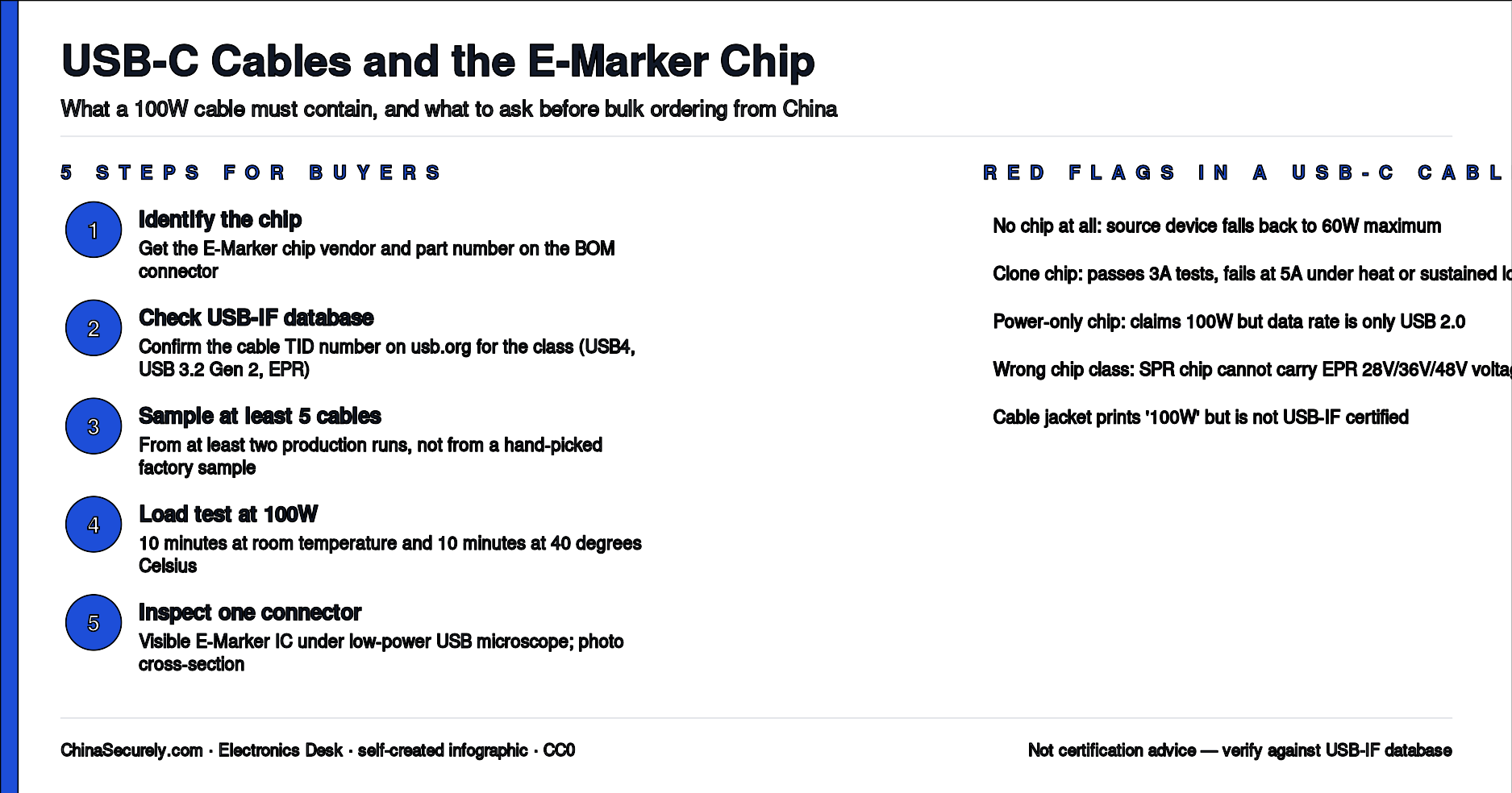
- Ask the supplier which E-Marker chip is on the connector BOM. Get the chip part number and the vendor name (Hynetek, TI, Parade, ITE, Vishay, etc.). If the supplier says “no chip, but it still works at 100W”, walk away.
- Verify the chip is in the USB-IF product database. The USB-IF maintains a public list of certified cables at usb.org. A genuine cable will have a TID number printed on the cable jacket or supplied in the spec sheet.
- Buy 5 to 10 sample cables from at least two production runs. Test each cable with a USB-C tester that displays negotiated wattage (for example a ChargerLAB POWER-Z KM002C or equivalent). Pull the rated wattage for at least 10 minutes, not 30 seconds.
- Test the cable under realistic thermal conditions. Cables that pass at 25 degrees Celsius can fail at 40 degrees. If your product ships in summer or sits in a warm cabinet, ask the supplier to test at 40 degrees.
- Inspect the connector on at least one cable from each shipment. A real E-Marker chip will show a visible IC under low-power USB microscope. A clone or missing chip will look different.
- Specify on the PO that the cable must negotiate 100 watts (20 volts at 5 amps) and not fall back to 5 volts during a 10-minute test at room temperature. Reference the USB PD 3.1 specification (USB-IF) on the PO.
- For higher data rate cables (USB 3.2 Gen 2, USB 4, Thunderbolt), also ask for the data rate test result. E-Marker chips control both power and data rate; a cable that supports 100 watts of power may still only support USB 2.0 data.
What to ask the supplier (copy-paste ready)
“Please send the E-Marker chip part number, the chip vendor, and the USB-IF TID number for this cable. Which USB-IF certified cable class does it fall under (for example USB4, USB 3.2 Gen 2, or EPR passive)? Does the chip survive 100-watt load at 40 degrees Celsius for 10 minutes without renegotiating down to 5 volts? Please include a 10-minute load test report at 100 watts in your QC document, and one connector cross-section image showing the chip. We will reject cables that cannot demonstrate all three.”
Practical checklist
- ☐ Chip vendor name on the connector BOM
- ☐ Chip part number on the connector BOM
- ☐ USB-IF TID number on cable jacket or spec sheet
- ☐ 100-watt load test for 10 minutes at room temperature
- ☐ 100-watt load test for 10 minutes at 40 degrees Celsius
- ☐ Connector cross-section photo showing the chip
- ☐ Data rate test (USB 2.0 vs 3.2 Gen 2 vs USB 4 vs Thunderbolt)
- ☐ PO references USB PD 3.1 specification explicitly
Trade-offs and uncertainty
- Real E-Marker vs clone chip: a clone chip can pass a quick voltage test at room temperature but fail under sustained load or at temperature. There is no public database for clone chips, so the only way to confirm is the chip vendor name plus a USB-IF TID lookup.
- USB-C to USB-C vs USB-C to Lightning: this article is about USB-C to USB-C cables. Apple MFi cables for USB-C to Lightning use a different authentication chip and have their own rules.
- EPR vs SPR: the 100-watt (EPR) standard is newer than the 60-watt (SPR) standard. Many older chargers and devices do not negotiate EPR even if the cable supports it. A cable that supports 100 watts is fine for older chargers; an older 60-watt cable cannot deliver 100 watts.
- USB-IF certified cables cost more: a USB-IF certified USB4 cable costs roughly USD 5 to 8 at retail. A bulk cable at USD 1.40 is not certified. Budget difference: roughly 3 to 5 times per cable.
Related questions
- How do I check if a USB-C cable supports USB 4 or only USB 2.0?
- Why does my laptop charge slowly with a third-party USB-C cable?
- What is a USB-IF TID number and how do I look it up?
- Is “100W” printing on the cable jacket a reliable indicator of real capability?
Internal CTA
If your cable spec is not negotiating full 100 watts or you suspect clone E-Marker chips in a recent shipment, ChinaSecurely can review your connector BOM, propose a 4-cable bench-test plan, and draft the right supplier question list to attach to your next PO. Reply through the contact form with the cable spec and the symptoms you are seeing.