
Short answer
A USB hub sample from a Chinese supplier that runs three drives at once, then drops one device when a fourth is added, usually points to insufficient power delivery, cheap USB controller silicon, or missing per-port overcurrent protection. Sample-level tests rarely stress power budgets, so problems appear only in bulk usage. You can catch this before mass production by asking for a component datasheet, running a multi-device load test on the sample, and writing power delivery limits into the purchase order.
A real buyer scenario
An Amazon seller in the United States imported 500 seven-port USB 3.0 hubs from a Shenzhen supplier. During single-drive testing the hub worked perfectly. Customers began returning units within two weeks with the same complaint: connecting a fourth external drive caused one of the other drives to disconnect. The seller thought the issue was firmware. It was almost always the power stage.
Why this happens
USB hubs from lower-tier Chinese suppliers often fail under real multi-device load because of three overlapping issues:
- The power adapter is undersized for the total port budget. A seven-port USB 3.0 hub should supply about 5V at up to 900mA per port; many bundled adapters deliver only 2A or 3A total.
- The USB controller IC is a low-cost clone rather than a Genesys Logic, VIA Labs, or similar reference-grade chip.
- Per-port overcurrent protection is missing or shared across ports, so one heavy device forces the controller to shed another.
The USB Implementers Forum specifies per-port current limits and hub power budgeting; consumer hubs that ignore this specification will look fine in one-device tests and fail as soon as a real workload appears.
China-side explanation
USB hub factories in Shenzhen and Dongguan usually offer three build tiers behind the same outer shell:
- Basic tier: low-cost controller IC, minimum-cost adapter, shared overcurrent protection.
- Standard tier: mid-tier controller IC (Genesys Logic GL3520 class or similar), correctly-rated adapter, per-port protection.
- Premium tier: reference-grade controller, oversized adapter, individual current sensing.
Without a written specification, sales will quote the basic tier because that is what most small-order buyers accept. The shell, packaging, and product photos can look identical across all three tiers, which is why importers cannot tell the difference from marketing images.
Step-by-step solution
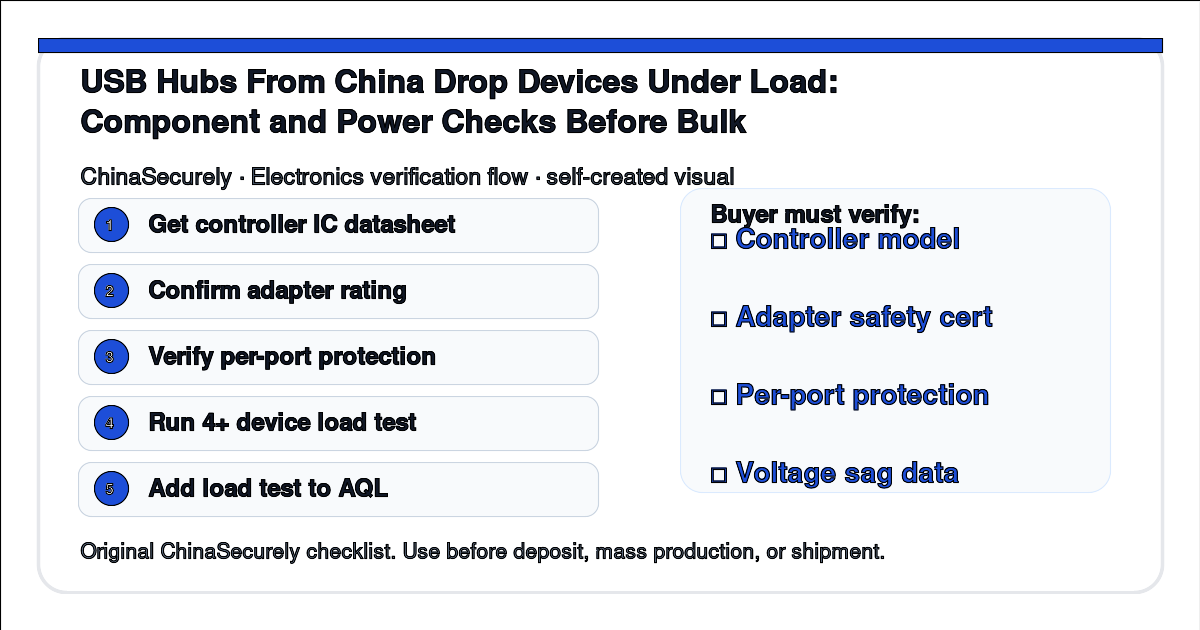
- Ask the supplier for the exact USB controller IC part number and datasheet before quoting.
- Ask for the exact power adapter model, voltage, current, and safety certification.
- Confirm per-port overcurrent protection is per-port, not shared.
- Write the controller model, adapter rating, and per-port protection into the PO.
- Test the sample with four to seven real devices connected simultaneously, including at least one power-hungry external HDD.
- Measure voltage sag on each port during load with a USB tester.
- Add a multi-device load test to the pre-shipment inspection AQL plan.
- Reject bulk if any sampled unit drops a device or shows more than 5 percent voltage sag under load.
What to ask the supplier
Please send the datasheet for the USB controller IC in this hub, and the model plus safety certification for the bundled power adapter. Confirm whether overcurrent protection is per-port or shared. We plan to run a multi-device load test with four external drives simultaneously; the sample and bulk build must match on controller, adapter, and protection design.
Cost and trade-off notes
- Upgrading from a shared-protection basic build to a per-port standard build typically raises unit cost, and the exact bump varies by controller and adapter chosen; treat any specific range as illustrative and confirm with your factory.
- Skipping the datasheet request is the single most common reason USB hubs from China arrive as basic-tier builds even when the buyer paid a standard-tier price.
- Certified adapters (UL, CE, or FCC where applicable) reduce customs and marketplace risk; uncertified adapters have caused Amazon listings to be suspended.
Verification checklist
- □ USB controller IC datasheet received and matches the product description.
- □ Adapter model number, voltage, current, and safety mark confirmed in writing.
- □ Per-port overcurrent protection confirmed as per-port, not shared.
- □ Sample tested with 4 or more real devices under simultaneous load.
- □ Voltage sag measured on each port and recorded.
- □ Pre-shipment AQL plan includes a multi-device load test.
- □ Rejection threshold for load-test failure written into the PO.
Related buyer questions
- Do I need a powered USB hub, or is a bus-powered hub enough for my product?
- Why does my hub work on Windows but not on macOS with the same devices?
- Can I mix USB 2.0 and USB 3.0 ports on a single controller without performance loss?
Sources and uncertainty
- USB Implementers Forum documents and Type-C specification at https://www.usb.org/documents.
- USB 2.0 and 3.x hub specifications at https://www.usb.org/document-library.
- FCC equipment authorization guidance at https://www.fcc.gov/general/equipment-authorization-fcc-approval-process.
- UL 62368-1 safety standard summary at https://www.ul.com/services/ul-62368-1-audio-video-information-and-communication-technology-equipment.
USB controller behavior varies by silicon revision and firmware. Treat performance claims from a supplier as one input and verify with a physical multi-device load test. High-risk topic implication: certification claims for the bundled adapter must be independently verified through the issuing certification body, not accepted from a supplier certificate screenshot.
Need help checking a China sourcing route or supplier? Send the product, target country, order size, and current quote. ChinaSecurely can help you understand the risks before you pay.