
A buyer question we hear repeatedly from small importers: “I sourced 1,000 USB-C cables from a Shenzhen supplier. They charge fine, but my laptop says ‘USB device not recognized’ when I try to transfer files. The supplier says they are ‘full function.’ Are they lying?” The short answer is no, they are probably not lying. The cable is almost certainly missing the data lines, and that is a specification problem, not a fraud problem.
This guide is for small importers who source USB-C cables from Chinese suppliers and want to avoid the most common functional gap: charge-only cables sold as charge-and-sync.
Why some USB-C cables from China only charge
USB-C cables have more wires than the older USB-A cables. A full-function USB-C cable contains eight wires organized into pairs: power (VBUS and GND), high-speed data (TX/RX for USB 3.x), sideband use (SBU1, SBU2), and configuration channel (CC1, CC2). A charge-only cable drops the high-speed data pairs and sometimes the SBU pairs, leaving only the power lines and the configuration pins.
Both cable types will charge a phone. Only the full-function cable will support data transfer, video alt-mode, or fast-charge negotiation above 5 V / 3 A. From the outside, the two cables look identical.
Three reasons the supplier may ship a charge-only cable
- Cost pressure. A charge-only cable uses fewer components and cheaper wire. On a 1,000-unit order, the supplier saves roughly $0.30 to $0.60 per cable.
- Specification ambiguity. If your PO only says “USB-C cable, 1 m, 3 A,” the supplier is free to interpret that as charge-only. Many importers do not realize that “USB-C cable” is not a complete spec.
- Sample substitution. The sample you approved may have been a full-function cable the supplier had in stock. The bulk run is then produced to the cheapest interpretation of the spec.
China-side explanation
In the Shenzhen USB cable cluster, USB-C cables are typically quoted by spec: conductor count (4 core, 6 core, 8 core, or full 10 core), wire gauge (AWG), shielding (aluminum foil, braid, or both), and protocol support (USB 2.0, USB 3.2 Gen 1, USB 3.2 Gen 2, USB4, Thunderbolt alt-mode).
When the supplier says “full function,” most importers take it at face value. In practice, “full function” in this market usually means USB 2.0 data (480 Mbps) at best. USB 3.x (5 Gbps or 10 Gbps) and video alt-mode require more careful spec discussion and a higher unit price.
The salesperson also has a strong incentive to keep the conversation on charging, because charge-only cables are the easiest to ship and the easiest to satisfy on a tight sample-to-bulk timeline.
Step-by-step: how to verify a USB-C cable actually supports data
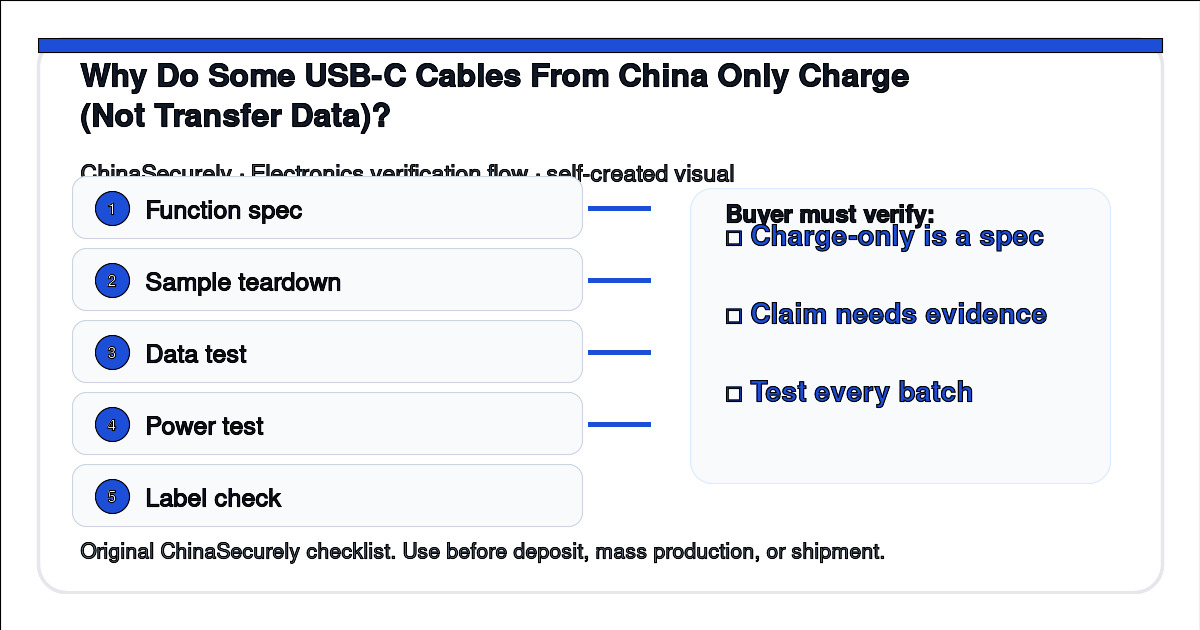
- Write the spec into the PO. “USB-C to USB-C cable, 1 m, USB 2.0 data + 3 A charging, 6 core conductors, AWG 24 power, double-shielded.” If you need USB 3.x, write “USB 3.2 Gen 2, 10 Gbps, full 8 core.”
- Test the sample with a real device. Plug the cable into a laptop and a phone. Transfer a 200 MB file. If the transfer speed is below 20 MB/s on USB 2.0 or below 250 MB/s on USB 3.x, the cable is not delivering what was promised.
- Use a USB-C cable tester. A $20 cable tester (such as the Fnirsi C1 or similar) reads the configuration channel and reports whether the cable advertises the right current and data rate.
- Test five random cables from the bulk run. Sample size matters. One working sample does not prove the whole run.
- Document the test in the inspection report. Take photos, note the serial number on the bag, record the test phone model and the file transfer speed.
What to ask the supplier (copy and paste)
“Please confirm in writing: (1) the number of cores in this cable (4 / 6 / 8 / 10), (2) the data protocol supported (USB 2.0 / 3.0 / 3.1 / 3.2), (3) whether it carries both CC1 and CC2 configuration lines, and (4) whether it supports video alt-mode. If you cannot answer (1) and (2) in writing, I cannot approve the bulk run.”
Risk and trade-off notes
For a charging-only application (kiosks, retail point-of-sale, hospitality), a charge-only cable is a legitimate, lower-cost choice. For a consumer-facing retail product where buyers expect “full function,” charging-only will drive returns and negative reviews regardless of the unit savings.
For bulk orders above 5,000 units, a third-party pre-shipment inspection that includes a USB-C tester pass costs roughly $80 to $150 and catches most data-line omissions before the goods leave China.
Practical checklist
- Cable spec written into the PO: core count, AWG, data protocol, max current.
- Sample tested with real phone and laptop for both charge and data.
- USB-C tester used on at least five random units from bulk run.
- Inspection report saved with photos and serial numbers.
- Supplier written confirmation of core count and protocol.
- Packaging label and outer carton also marked “data + charge” if applicable.
Authoritative references
- USB Implementers Forum — current USB specifications
- USB Type-C Cable and Connector Specification, USB-IF (public PDF)
- US 47 CFR Part 15 — FCC rules for unintentional radiators
- FCC equipment authorization procedures
- QIMA pre-shipment inspection checklist (public overview)
Source access: USB-IF public documents and the FCC eCFR Part 15 page were accessed on 2026-07-22. USB Type-C specification full text is gated; core count and protocol claims above are based on the public USB Type-C usage specification summary. This article is sourcing guidance, not legal or FCC compliance advice. Confirm specific compliance paths with a qualified test lab.
Related questions
- How do I tell a USB 2.0 cable from a USB 3.x cable without a tester?
- Can a charge-only USB-C cable damage my phone?
- What is the difference between USB-C to USB-C and USB-C to Lightning cables?
- Why does my phone show “slow charging” on some cables from China?
This article is general sourcing guidance. For any cable that ships with a charger or with a device, confirm FCC authorization and the relevant consumer product safety rules with a qualified lab before import.