
Short answer: a sticker label can pass a PDF proof and still look wrong on the real bottle because the label material, adhesive, surface curve, bottle color, and lamination all change the final appearance. The supplier may not be hiding anything. The problem is that the buyer approved the artwork, not the real-use label system.
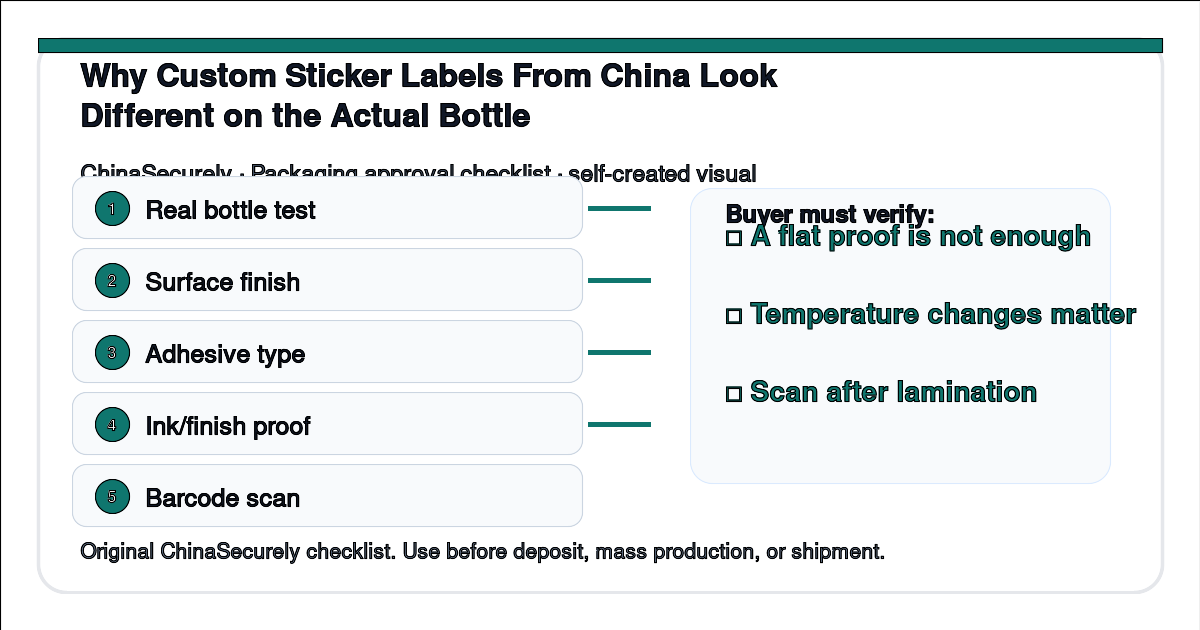
A real buyer question is: “The label proof from my Chinese supplier looked clean, but after applying it to our matte bottle the color looks darker and the edges lift. What should I have tested?”
For small importers, this matters because the label is often the product’s first impression. A slightly wrong adhesive or finish can make an otherwise acceptable product look like a cheap copy.
Why this happens
Labels are not just printed paper. They combine face material, adhesive, release liner, ink, coating or lamination, and the product surface. A label that sticks well on a flat glass jar may fail on a curved plastic bottle.
Color also changes after application. A white label on a white background, a transparent label on an amber bottle, and a metallic label under glossy lamination will not look like the same PDF file on a laptop screen.
Barcode and QR code quality can also change after lamination, shrink wrapping, or curved application. Cross-check guidance from ISO/IEC 15420 (EAN/UPC symbology specification), FedEx packaging guidelines, and the Flexographic Technical Association makes the same point: printed code quality depends on contrast, scannability, and substrate finish, not only on the design file. A simple supplier checklist helps catch label problems before mass printing.
China-side explanation
Many Chinese label suppliers can print quickly because they run similar materials for many customers. If the buyer does not specify surface type, bottle material, curvature, filling environment, or storage condition, the salesperson may quote a common adhesive and standard finish.
There is also a division between the label factory and the product packing factory. The label supplier may make a technically acceptable label, while the packing team applies it to a dusty, curved, wet, or oily surface. The defect then appears after the goods are packed.
For low-value sample orders, this may not matter. For custom production, it matters a lot because mass printed labels are hard to change after the roll is made.
Step-by-step solution
- Send the supplier the real bottle material, size, surface finish, and curve information.
- Ask for label material and adhesive options, not only a unit price.
- Print a small physical proof and apply it to the real bottle or a matching sample bottle.
- Check color under normal selling light, not only under factory office lighting.
- Rub, bend, chill, warm, and leave the label for 24 to 48 hours if the product will face storage or shipping changes.
- Scan every barcode or QR code after the final finish is applied.
- Put the approved physical label and bottle photos into the purchase order.
What to ask the supplier
Please recommend the label face material, adhesive, and finish for this bottle surface. The bottle is [material], [finish], and [diameter/curve]. Before mass printing, please send physical label samples applied to the real bottle, and please test barcode or QR code scanning after lamination.
If the supplier answers only “our standard sticker is fine,” slow down and ask again. Standard may be fine for a flat carton but wrong for a curved cosmetic bottle.
Label proofing table
| Test | How to do it | Pass signal |
|---|---|---|
| Surface fit | Apply label to the real bottle or matching dummy | No lifting at edges after 24 hours |
| Color check | Compare under daylight and indoor light | Color is acceptable on the actual bottle color |
| Adhesive check | Rub edge and curve area lightly | No peeling, bubbling, or sliding |
| Finish check | Test after lamination or coating | Text and code remain readable |
| Scan check | Scan barcode or QR on finished label | Multiple phones or scanners read it quickly |
Practical checklist
□ Do not approve a sticker label only from a PDF.
□ Ask the supplier to name the face material and adhesive.
□ Test on the actual bottle shape and surface.
□ Confirm color after lamination or coating.
□ Scan QR codes and barcodes after printing at real size.
□ Keep a signed physical proof if the order is important.
Related questions
Can the supplier guarantee exact Pantone color on every label? They can control a target better if you provide a standard, but exact appearance still depends on material and finish.
Are transparent labels easier? Not always. Transparent labels can show bottle color, glue marks, bubbles, and surface dust more clearly.
Should I let the factory choose adhesive? You can ask for a recommendation, but you should provide the use condition and approve a physical test before mass printing.
Sources
- ISO/IEC 15420 — EAN/UPC barcode symbol specification
- FedEx — packaging guidelines for label application and shipping conditions
- Flexographic Technical Association — flexo print process and substrate guidance
- ISTA — package performance test procedures relevant to label adhesion
A label is part of the product system. Test it on the real product before you buy thousands of pieces.